AI transcription for Windows

Your meetings, transcribed on your own PC

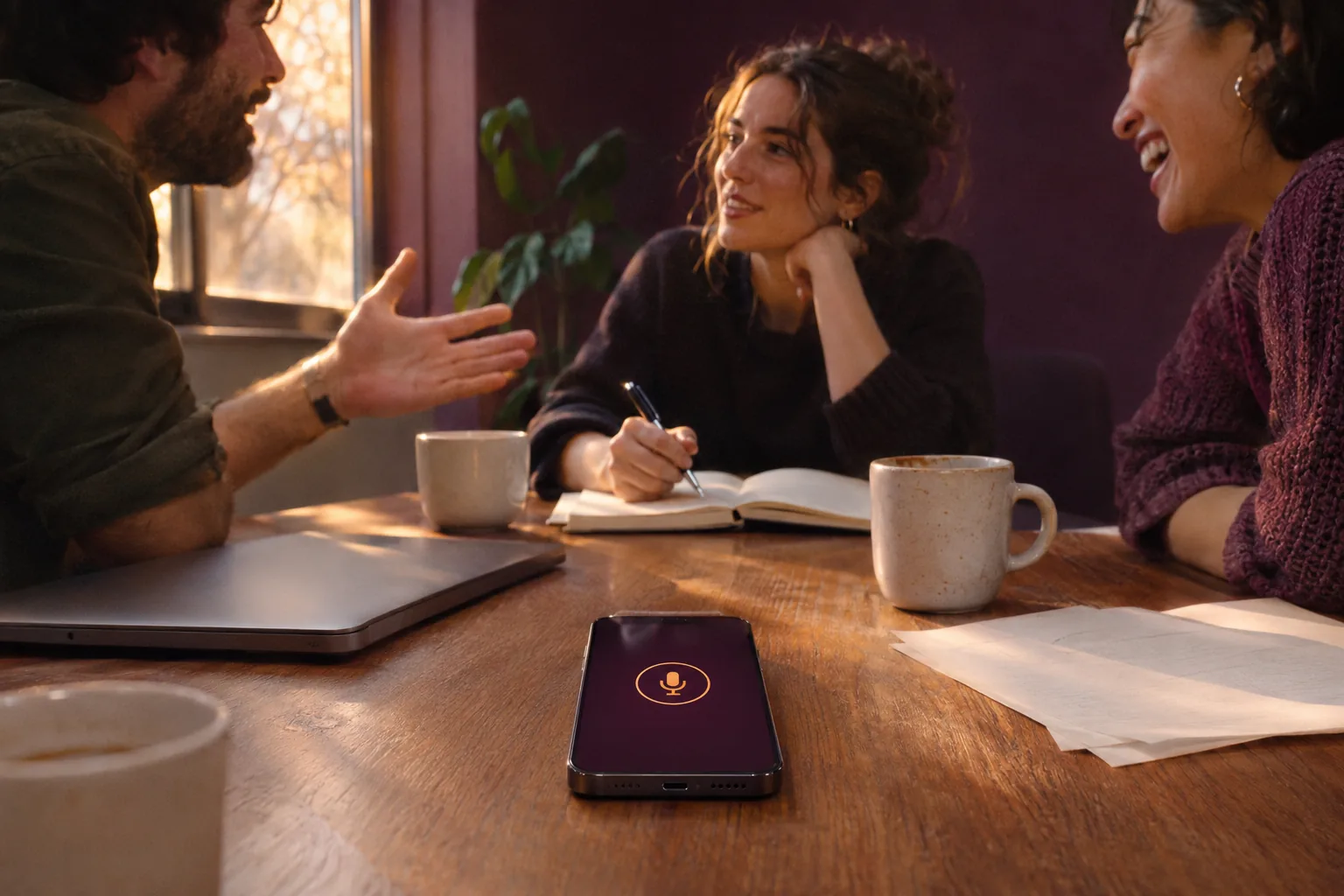
Zoom, Teams and Meet calls, meetings around a table, interviews and recordings you already have, in 30 languages. No notetaker joins your call, and your recordings never reach our servers.

  • No bot in the call
  • 30 languages
  • A file on your own drive
Start your 7-day trial

A download for Windows 10 and 11, with an NVIDIA or AMD graphics card. Will it run on my PC?

Watch it write a real call

A community call, nothing rehearsed. Foundry writes it down while people talk, one colour for each speaker, and keeps the recording with the text.

Filmed on screen as it happened. Nothing edited.

Calls, rooms, interviews and old recordings

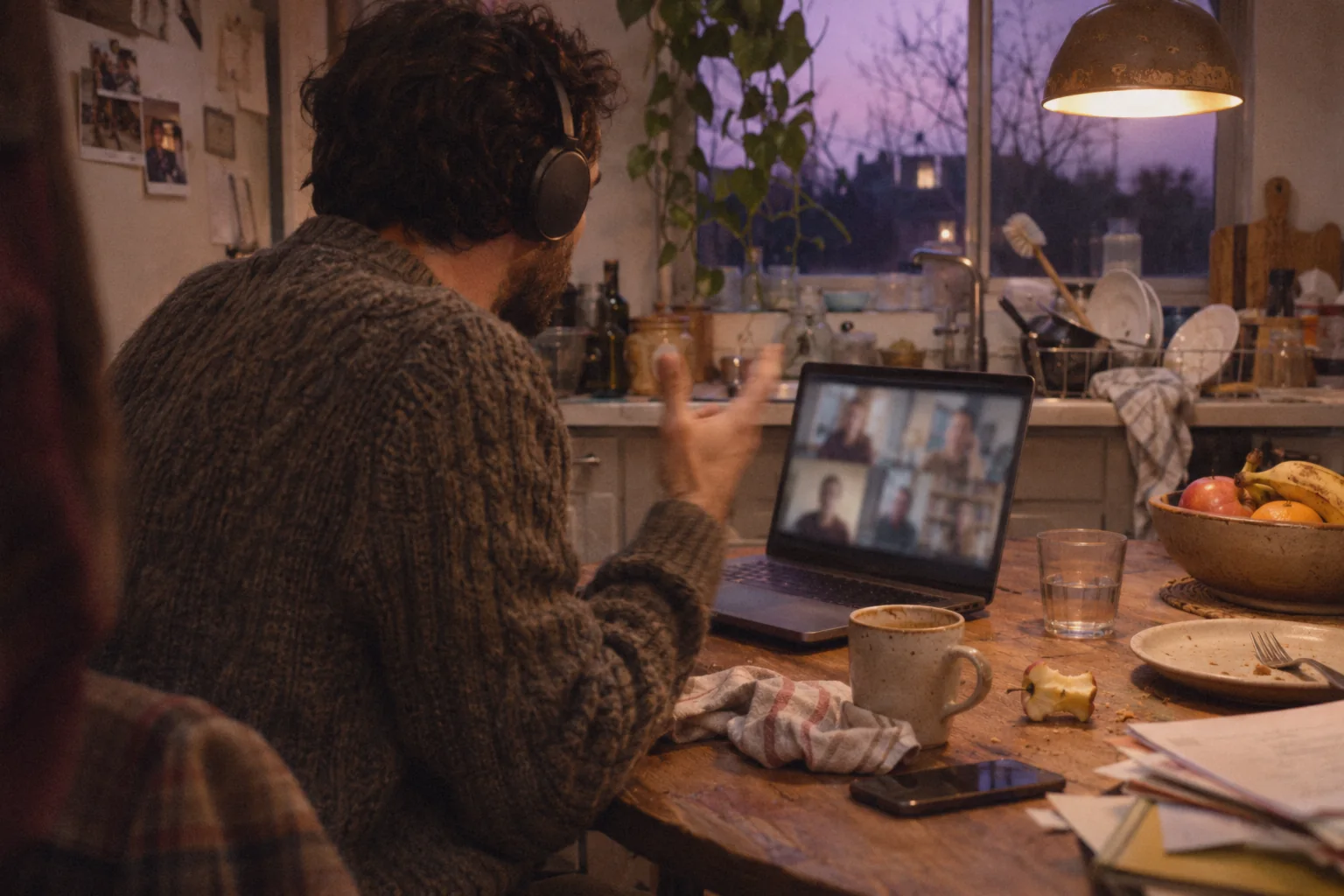
A man with headphones on a video call at his kitchen table

Online calls

Zoom, Teams and Meet, with no bot

Choose your PC's sound as the input, and Foundry writes down what you hear in your headphones. Nobody new joins the call, and nobody gets an invitation from a notetaker.

Speaker 2So you're using the forum to give you those stats?

Speaker 1Comes from GitHub, uh, forums, meetup groups, Slack, Stack Overflow and Reddit.

Speaker 2And what, sorry, and what tooling is, is giving you that information?

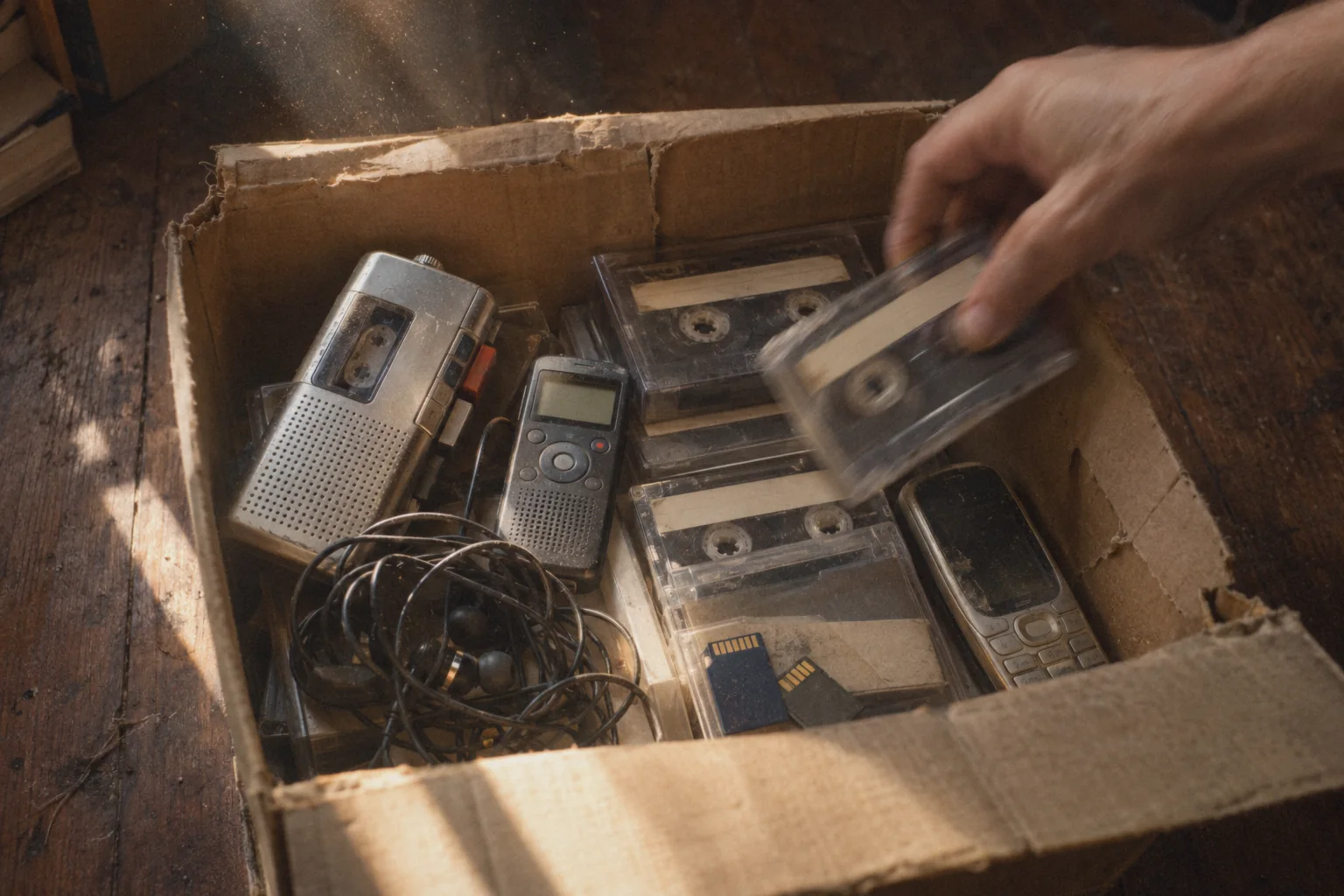
A box of old cassettes, a dictaphone and memory cards, a hand lifting out a tape

Recordings you already have

Interviews and old recordings

Drop in MP3, WAV, M4A, FLAC, MP4, MOV and more. Every phrase keeps its time, so you can jump back to any moment.

under10minto write down
an hour of audio

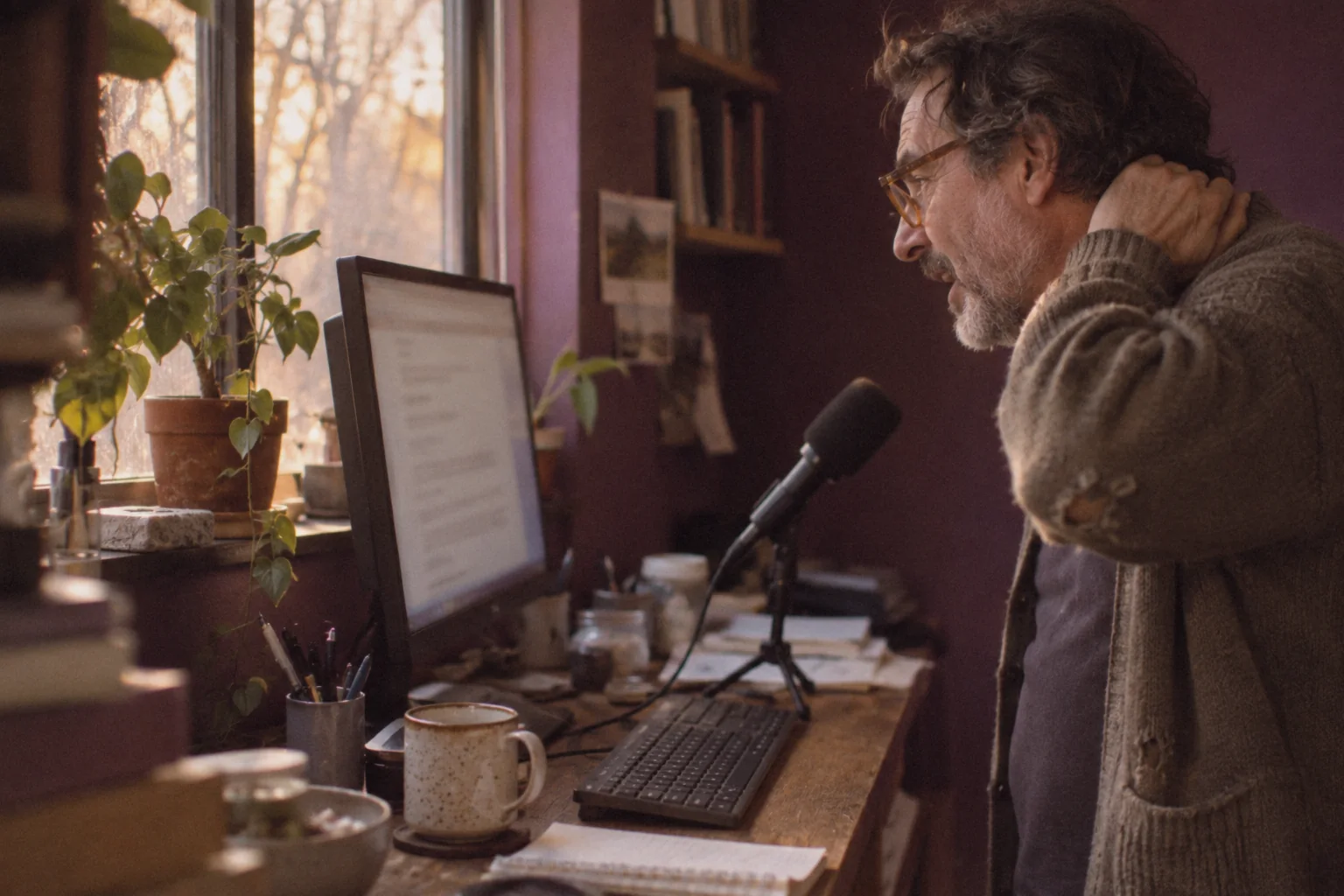
A man at his desk speaks his thoughts to a desk microphone

Your own voice

Talk, instead of typing

Speak into your microphone and the words appear as you talk. Punctuation and edits are spoken too:

command new paragraphcommand commacommand undo

Every voice in its own colour. Click a word to hear it.

On the Professional plan, Foundry tells the speakers apart and gives each one a colour and a name you choose. Every word stays tied to the recording, so checking a quote takes one click.

The same community callFoundry's transcript, exactly as it came out
0:00

Transcription in 30 languages

Leave it on Automatic: Foundry hears which language is spoken, and when a call switches, the transcript follows. Pick any name to watch Foundry write down a real recording in that language.

English, German, French, Spanish, Italian, Dutch, Polish, Russian, Ukrainian, Turkish, Czech, Slovak, Swedish, Norwegian, Finnish, Romanian, Croatian, Serbian, Catalan, Hindi, Urdu, Chinese (Mandarin), Cantonese, Japanese, Korean, Thai, Vietnamese, Indonesian, Malay and Filipino.

Read it back, fix it, send it on

Foundry's Dictation document with one word selected; below it the speaker and the exact time of that word

1 Read it back

Click a word, hear the moment

The recording stays with the text. Click any word and Foundry shows who said it and when. Press play and the text follows the sound.

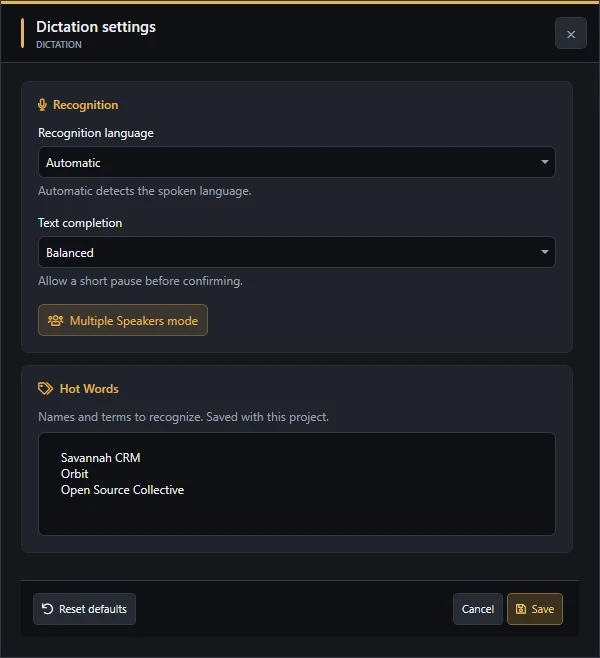
Foundry's Dictation settings: recognition language Automatic, Multiple Speakers mode, and the Hot Words Savannah CRM, Orbit and Open Source Collective

2 Fix it

Names spelled your way

Type the names and terms your team uses into Hot Words, and Foundry listens for them. Anything else you correct right in the text, like in any document.

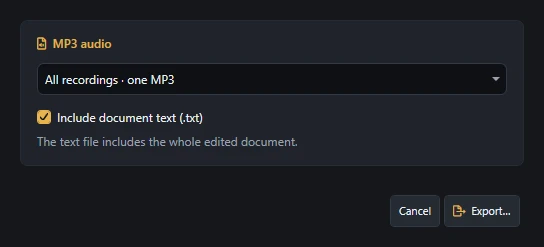
Foundry's Export dialog: all recordings as one MP3, with the document text included

3 Send it on

Text for Word, sound as MP3

Export every recording as one MP3 with the whole document as text beside it, or save the text as TXT or RTF.

Their cloud, or your PC

Client calls, interviews, board meetings, salary talks. Most meeting tools upload the recording to their cloud to write it down. Foundry writes it down on your own graphics card.

  • 0bots in your call
  • 0recordings sent to us
  • 1file on your own drive

Sign-in and the license check use the internet. When your phone is the microphone, it sends its sound to your PC over an encrypted connection.

Compare with Otter, Fireflies, Fathom and Granola
OtterFirefliesFathomGranolaDemodokos Foundry
Where the audio is transcribedTheir cloudTheir cloudTheir cloudTheir cloudYour PC
In your callJoins as a notetakerA bot joinsA bot, or no botNo botNo bot
Their AI trained on your meetingsDe-identified recordings, no opt-out foundSays it does notDe-identified data, unless you opt outDe-identified data, unless you opt outNo. Your recordings never reach us
Where the transcript livesTheir accountTheir accountTheir accountTheir accountA file on your drive

Read on 8 November 2026 in the privacy policies of Otter, Fireflies, Fathom and Granola, and on their pricing pages.

Every meeting written down. One flat price.

Dictation comes with both plans. For meetings with several people, choose Professional: it tells the speakers apart and names them.

Pay for the year and save 20%

or go month to month and cancel whenever you like

What you get

Your own calls, notes and recordings

Creator

$12.00a month

$144.00 billed yearly$15.00 billed monthly

Recommended

Automation and client work

Professional

$39.20a month

$470.40 billed yearly$49.00 billed monthly

Dictation and transcriptionYour microphone, calls on your PC, your phone, or a file
Included
Included
Who said whatSpeaker separation for meetings and interviews
One speaker
Several speakers
LanguagesLeave it on Automatic, or pick one
30
30
AI agent, command line and APIYour AI agent transcribes a folder of recordings for you
Not included
Included
Commercial useOne seat per person
Your own projects
Also client work
Also in FoundryText to speech, dubbing, voice cloning and music in the same app
Included
Included
Choose your plan

7-day free trial: cancel before it ends and you pay nothing. PayPal is needed to start, and the plan you chose bills automatically when the trial ends. Cancel before renewal under Billing.

Enterprise: for teams of 5 or more. Required for 5+ seats, 10+ employees, or $2M+ revenue. Contact our team for custom licensing.

What your PC needs

  • Windows 10 or 11, 64-bitSSD or NVMe disk recommended
  • A graphics card with 6 GBNVIDIA, or AMD with 8 GB (experimental). 12 GB or more recommended.
  • Internet for sign-in and license checksThe transcription itself runs on your PC.

Not sure what your card has? Press Ctrl Shift Esc, open Performance, choose GPU and read “Dedicated GPU memory”.

Questions about transcription

Does a bot join my Zoom, Teams or Meet call?

No. Foundry listens to your PC's own sound, the same sound you hear in your headphones, so nobody new appears in the call.

Is Foundry an alternative to Otter or Fireflies?

For writing down calls, meetings and interviews, yes. Foundry does it on your own PC: no notetaker joins the call, the transcript is a file on your drive, and your recordings never reach our servers.

Which languages does it understand?

English, German, French, Spanish, Italian, Dutch, Polish, Russian, Ukrainian, Turkish, Czech, Slovak, Swedish, Norwegian, Finnish, Romanian, Croatian, Serbian, Catalan, Hindi, Urdu, Chinese (Mandarin), Cantonese, Japanese, Korean, Thai, Vietnamese, Indonesian, Malay and Filipino. Leave it on Automatic, or pick the language in Dictation settings.

How fast is it?

Live calls and dictation are written down while people talk. A recording you already have takes under 10 minutes per hour of audio.

Will it run on my PC?

Foundry runs on Windows 10 and 11 with an NVIDIA graphics card with 6 GB of memory or more, or an AMD card with 8 GB (experimental). To check yours, press Ctrl + Shift + Esc, open Performance, choose GPU and read Dedicated GPU memory.

Can my phone be the microphone?

Yes. Choose Foundry Link as the input in Dictation and scan the code with your phone. It opens in the phone's browser, no app to install. Press Start dictation on the phone and the text arrives in a document on your PC.

Can Foundry transcribe a recording I already have?

Yes. Choose Transcribe a file in Dictation. It takes MP3, WAV, M4A, FLAC, AAC, WMA, MP4, MOV and WMV, and writes the text with the time of every phrase.

Can it tell who is speaking?

Yes, on the Professional plan. Foundry separates the voices and gives each speaker a colour and a name you can change. On the Creator plan the text comes as one speaker.

Does my recording leave my PC?

Your recordings and transcripts stay on your PC and never reach our servers. Foundry needs the internet for sign-in and the license check, and Foundry Link sends your phone's sound to your PC over an encrypted connection.

Can I dictate instead of typing?

Yes. Speak into your microphone and the text appears as you talk. Start an instruction with the word command, for example command comma, command new paragraph or command undo.

What do I get at the end?

An editable document with the recording attached. Save it as TXT or RTF, export the sound as MP3, or keep the Foundry document with text, sound and speakers together.

Can an AI agent transcribe for me?

Yes, on the Professional plan. Connect an AI agent such as Claude Code, or a script of your own, and it can hand Foundry a folder of recordings and collect the transcripts through Foundry's command line and API.

Your next meeting, written down

Try it on your own calls during the 7-day trial, on your own PC.

Start your 7-day trial

7-day free trial. Cancel before it ends and you pay nothing. Then from $15 a month, or $12 a month billed yearly. PayPal needed to start.

Every recording on this page is real people, openly licensed. Every transcript is Foundry's, unedited.

Sources and licenses

Community call (English)

Open Source Collective, Community Call, 16 September 2021, source, CC BY 4.0. Changes: an excerpt, level evened out, played into Foundry and filmed as Foundry wrote it down.

German

Resonator Podcast RES054, Holger Klein and the Helmholtz Association, source, CC BY 4.0. Changes: an excerpt, level evened out, played into Foundry and filmed as Foundry wrote it down.

French

Libre à vous ! no. 289, April and Radio Cause Commune, source, Licence Art Libre 1.3 or CC BY-SA 2.0 FR or later. This clip stays under the same licence. Changes: an excerpt, level evened out, played into Foundry and filmed as Foundry wrote it down.

Spanish

Ingeniería Sin Fronteras Argentina, Charla Abierta Virtual, source, CC BY (YouTube). Changes: an excerpt, level evened out, played into Foundry and filmed as Foundry wrote it down.
Italian

Sagre Toscane Podcast no. 5, sagretoscane.com, source, CC BY 3.0. Changes: an excerpt, level evened out, played into Foundry and filmed as Foundry wrote it down.
Dutch

Uit De Volksmond podcast, Terugblik 2019, source, CC BY 4.0. Changes: an excerpt, level evened out, played into Foundry and filmed as Foundry wrote it down.
Polish

Nauka XXI wieku no. 104, Borys Kozielski with Katarzyna Kłosińska (Wiki Science Competition 2021), source, CC BY 4.0. Changes: an excerpt, level evened out, played into Foundry and filmed as Foundry wrote it down.
Russian

Podcast «Быстренько обсудим», Синолог о жизни в Пекине, МГПУ (Moscow City University), source, CC BY (YouTube). Changes: an excerpt, level evened out, played into Foundry and filmed as Foundry wrote it down.
Ukrainian

AI&I podcast with Oleksii Molchanovskyi (Ukrainian Catholic University), host Roman Kyslyi, source, CC BY (YouTube). Changes: an excerpt, level evened out, played into Foundry and filmed as Foundry wrote it down.

Turkish

Ha Geldi, Ha Gelecek! episode 4, Sürücüsüz Arabalar, Aykut İbrişim and Emre Şarbak (On the Verge!), source, CC BY (YouTube). Changes: an excerpt, level evened out, played into Foundry and filmed as Foundry wrote it down.

Czech

Panelová diskuse: Jak sdílet na internetu, Wikimedia Česká republika, source, CC BY (YouTube). Changes: an excerpt, level evened out, played into Foundry and filmed as Foundry wrote it down.
Slovak

Panelová diskusia: Kam smeruje vyučovanie informatiky na Slovensku?, PyCon SK, source, CC BY (YouTube). Changes: an excerpt, level evened out, played into Foundry and filmed as Foundry wrote it down.
Swedish

Wikipediapodden, avsnitt 214, Wikipedia Weekly Network, source, CC BY (YouTube). Changes: an excerpt, level evened out, played into Foundry and filmed as Foundry wrote it down.
Norwegian

Paneldebatt: Wikipedia 15 år, Wikimedia Norge, source, CC BY (YouTube). Changes: an excerpt, level evened out, played into Foundry and filmed as Foundry wrote it down.

Finnish

Mistä hyvinvointi ja hyvä elämä rakentuvat?, Hyvän tulevaisuuden aamukahvit, 6 May 2025, source, CC BY (YouTube). Changes: an excerpt, level evened out, played into Foundry and filmed as Foundry wrote it down.

Romanian

O discuție cu creatori de produse de tehnologie din România, Asociația TechSoup România, source, CC BY (YouTube). Changes: an excerpt, level evened out, played into Foundry and filmed as Foundry wrote it down.

Croatian

Panel rasprava: Brucošice i brucoši pitaju, Fakultet elektrotehnike i računarstva (FER), University of Zagreb, source, CC BY (YouTube). Changes: an excerpt, level evened out, played into Foundry and filmed as Foundry wrote it down.

Serbian

МГ Подкаст #2 with Uroš Mikić, MG TV, source, CC BY (YouTube). Changes: an excerpt, level evened out, played into Foundry and filmed as Foundry wrote it down.

Catalan

Disseccionem la ciència 01, interview with Cristina Pujades, Neurones Fregides, source, CC BY (YouTube). Changes: an excerpt, level evened out, played into Foundry and filmed as Foundry wrote it down.

Hindi

Hindi Wikipedia Sammelan 2018, Abhishek Suryawanshi with Prateek Malviya and Raju Jangid, uploaded by Sek2016, source, CC BY-SA 4.0. This clip stays under the same licence. Changes: an excerpt, level evened out, played into Foundry and filmed as Foundry wrote it down.

Urdu

Double Think Podcast with Prof. Afzal Safi, Urdu Adab and Poetry Talk, source, CC BY (YouTube). Changes: an excerpt, level evened out, played into Foundry and filmed as Foundry wrote it down.

Chinese (Mandarin)

听俩北京姑娘闲聊 ep. 20, Beijing dialect and Mandarin, source, CC BY (YouTube). Changes: an excerpt, level evened out, played into Foundry and filmed as Foundry wrote it down.

Cantonese

怪獸冰室 Monster Cafe, EP171, source, CC BY (YouTube). Changes: an excerpt, level evened out, played into Foundry and filmed as Foundry wrote it down.

Japanese

LibreOffice Japanese Team, online study session no. 12, source, CC BY (YouTube). Changes: an excerpt, level evened out, played into Foundry and filmed as Foundry wrote it down.

Korean

Korean Association of International Studies (KAIS), book webinar no. 5, source, CC BY (YouTube). Changes: an excerpt, level evened out, played into Foundry and filmed as Foundry wrote it down.

Thai

สะอาด Podcast, ประเทศไทยเมืองฮอต แต่ทำไมโซลาเซลล์ยังไม่ฮิต, Thai PBS Podcast, source, CC BY (YouTube). Changes: an excerpt, level evened out, played into Foundry and filmed as Foundry wrote it down.

Vietnamese

Từ Tốn Học podcast S1E5 with Trần Ngọc Hiếu, Spiderum, source, CC BY (YouTube). Changes: an excerpt, level evened out, played into Foundry and filmed as Foundry wrote it down.

Indonesian

Ceritanya Developer podcast with Fauzan Faturahman, Eksperimen Pemrograman, source, CC BY (YouTube). Changes: an excerpt, level evened out, played into Foundry and filmed as Foundry wrote it down.

Malay

Sembang Sekejap Podcast EP1, Kecerdasan Buatan dan Media Massa, Soundscape Studio (UPSI), source, CC BY (YouTube). Changes: an excerpt, level evened out, played into Foundry and filmed as Foundry wrote it down.

Filipino

UP Talks: Wika at Kultura, Felicisimo Galletes Jr., TVUP (University of the Philippines), source, CC BY (YouTube). Changes: an excerpt, level evened out, played into Foundry and filmed as Foundry wrote it down.