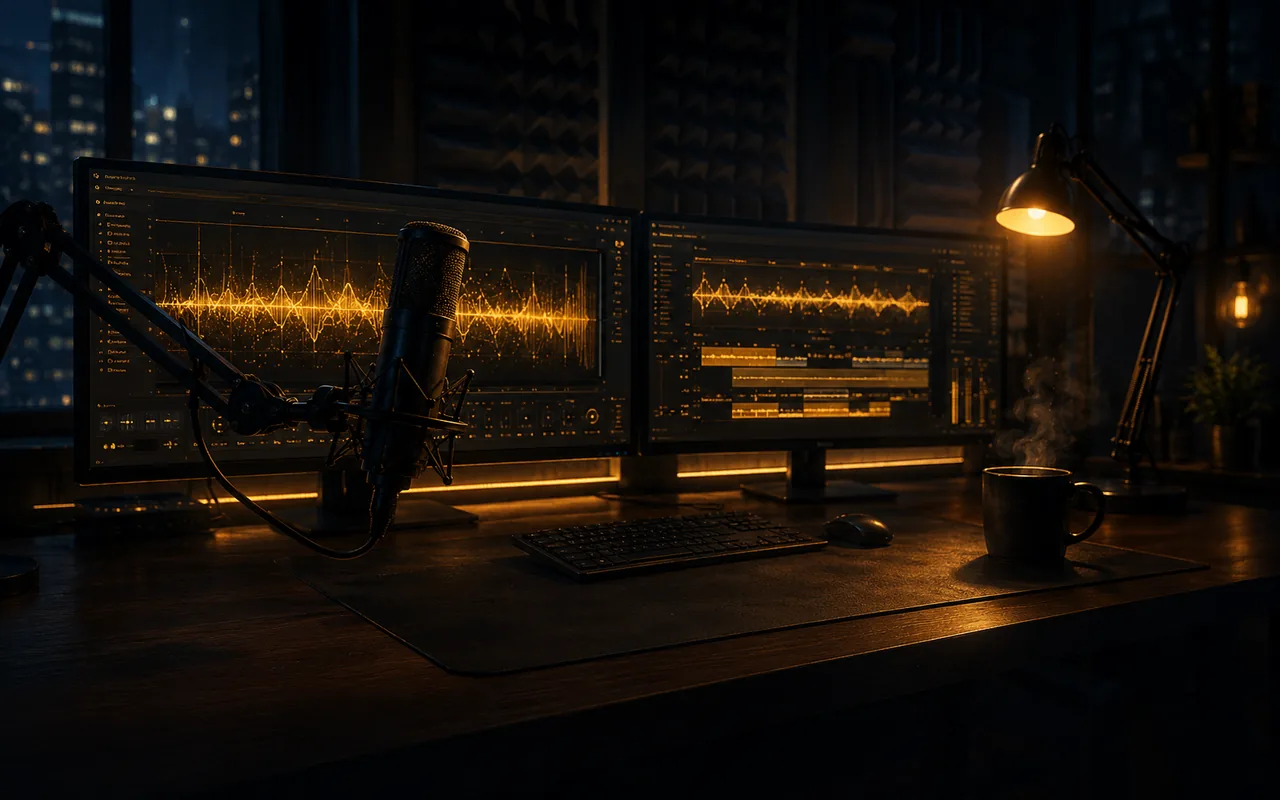
Erzählung, Dialog, Voiceover. Alles lokal. Alles unbegrenzt.
36+ emotionale Stimmstile auf deiner eigenen GPU. Keine Cloud. Keine Credits. Niemand sonst berührt dein Audio. Klone Stimmen, wechsle zwischen 10 Sprachen und produziere so viel du brauchst.
Lokal auf deinem PC 36+ Emotionen Stimmklonen Keine Credits oder Limits
Von Windows Defender verifiziert Privat ab Werk Unbegrenzte Generierung
Ein direkter Blick auf Demodokos Foundry: echte Sprache in mehreren Sprachen, Musikbetten und Studio-Stimmeffekte, alles lokal auf einer einzigen Maschine erzeugt. Klicke auf den Lautsprecher, um den Ton zu aktivieren.
Warum lokal gewinnt
Jedes Cloud-Voice-Tool hat dieselben drei Probleme. Dieses nicht.
Deine Dateien verlassen nie deinen PC
Deine Skripte, deine Stimmklone, dein Audio. Alles bleibt auf deiner Festplatte. Nichts wird hochgeladen. Niemand sonst speichert deine Arbeit. Niemand trainiert damit.
Schnell, weil es lokal läuft
Deine GPU rendert die Stimme. Kurze Clips dauern Sekunden. Du wartest nicht auf einen Server und teilst dir keine Warteschlange.
Keine Credits. Kein Zählen.
Erzeuge so viele Takes, wie du brauchst. Wiederhole eine Zeile zehnmal. Teste jede Emotion. Kein Zähler läuft mit und nichts kann aufgebraucht werden.
Für wen es ist
Echte Audioarbeit bezahlt sich in der ersten Woche
Autoren, Creator und Studios nutzen Foundry, um Cloud-Kosten pro Zeichen zu ersetzen, Zeichenlimits loszuwerden und schneller zu veröffentlichen, als ein klassisches Studio Termine vergeben kann.
Genutzt von Indie-Autoren, YouTubern und Spielestudios. 100 % lokal. Keine Nutzungslimits.
Autoren und Self-Publisher
Vertone einen ganzen Roman an einem Abend, statt 3.000+ $ für Studiozeit zu zahlen. Nimm jede Zeile in Sekunden neu auf. Dein Manuskript verlässt nie deinen Rechner, also bleibt der unveröffentlichte Entwurf privat.
YouTuber und Content Creator
Erzeuge saubere Voiceovers, Hooks und Shorts in Serie. Generiere zehn alternative Takes, teste Thumbnails mit verschiedenen Stimmen und plane eine ganze Videowoche an einem Nachmittag. Ohne Kosten pro Wort.
Game-Studios und Agenturen
Prototypisiere NPC-Dialoge, alternative Takes und mehrsprachige Ad-Copy, ohne Sprechertermine zu buchen. Feile an Ton und Emotion, bis die Line sitzt, und exportiere lokal.
Während der Testphase entstehen keine Kosten. Jederzeit kündbar. Läuft auf deinem Windows-PC mit NVIDIA-GPU.
So funktioniert es
Vom leeren Blatt zum fertigen Audio in 5 einfachen Schritten
Keine Studiobuchung. Keine Gebühren pro Zeichen. Die komplette Pipeline aus Stimme und Musik läuft auf deinem Windows-Rechner, in unter einer Minute pro Seite.
Wähle aus den mitgelieferten Stimm-Presets, klone dich selbst oder eine Referenzaufnahme, oder erzeuge eine völlig neue Stimme. Geklonte Stimmen bleiben auf deiner Festplatte und landen nie auf einem Server.
2/ 5
Schritt 2
Skript einfügen, jede Rolle besetzen
Füge ein Kapitel, ein ganzes Buch, ein Video-Konzept oder eine Dialogdatei ein. Der überarbeitete Skript-Editor teilt den Text beim Einfügen sofort in Zeilen auf, damit du jeder Figur ihre eigene Stimme geben und ein ganzes Ensemble führen kannst, nicht nur einen einzelnen Erzähler.
3/ 5
Schritt 3
Emotionen Zeile für Zeile steuern
Markiere jeden Absatz als ruhig, aufgeregt, geflüstert, wütend, sarkastisch oder alles dazwischen, mit 5 Intensitätsstufen pro Emotion. Die Stimme bleibt dieselbe Figur, nur das Gefühl ändert sich.
4/ 5
Schritt 4
Musik in jedem Stil erzeugen, in 50 Sprachen
Eigene Scores, Ambient-Loops, komplette Songs mit Gesang, instrumentale Betten. Jedes Genre, jede Stimmung, gesungen in einer von 50 Sprachen. Untermale deine Erzählung oder schreibe einen eigenständigen Track und zieh ihn direkt auf deine Timeline. Kein zweites Tool, kein separates Abo.
5/ 5
Schritt 5
Jede Zeile mit DSP und Stimmeffekten formen
Lege Effekte in Studioqualität auf eine einzelne Zeile oder den ganzen Track. Mach aus einem Erzähler mit einem Klick einen Außerirdischen, einen Dämon oder eine alte Radiodurchsage, und greife dann zu Hall, EQ, Auto-Tune, Formantverschiebung und Glitch, alles nicht-destruktiv. Ein komplettes DSP-Rack, eingebaut, ohne Plugins und ohne externe DAW.
Jederzeit kündbar · Läuft 100 % lokal · Windows-Desktop-App
Häufige Fragen
Häufig gestellte Fragen
Funktioniert Demodokos Foundry offline?
Ja. Sämtliche KI-Generierung, Stimmklonung und Audioverarbeitung laufen lokal auf deiner GPU. Prompts, Skripte, Stimmproben und erzeugte Audiodateien werden nicht in einen Cloud-Dienst hochgeladen. Für Anmeldung und Lizenzprüfung ist weiterhin eine Internetverbindung erforderlich. Foundry kann dich abmelden, wenn der Authentifizierungsserver über längere Zeit nicht erreichbar ist.
Lädt Demodokos Foundry meine Audiodateien in die Cloud?
Nein. Deine Audiodateien, Stimmproben, Prompts, Skripte, Projektdaten und generierten Inhalte bleiben auf deinem Computer. Foundry lädt kreative Inhalte weder zur Generierung noch zur Verarbeitung in einen Cloud-KI-Dienst hoch.
Welche GPU brauche ich für Demodokos Foundry?
Eine NVIDIA-GPU mit mindestens 4 GB VRAM kann ausgewählte Sprachmodelle mit reduzierter Qualität ausführen. 6 GB sind ein praxisgerechter Einstieg, während für die beste Gesamtleistung bei Musik und Sprache 12 GB oder mehr empfohlen werden. AMD-GPUs mit mindestens 8 GB VRAM können Musik und Sprache über Vulkan ausführen; die AMD-Unterstützung ist jedoch weiterhin experimentell. NVIDIA mit CUDA wird empfohlen.
Ich habe eine AMD-GPU. Funktioniert das?
Ja. AMD-GPUs mit mindestens 8 GB VRAM können Musik und Sprache über Vulkan ausführen. Die AMD-Unterstützung ist weiterhin experimentell und kann weniger konsistent sein als NVIDIA/CUDA, das die ausgereifteste Foundry-Erfahrung bietet.
Läuft Demodokos Foundry auf macOS oder Linux?
Foundry ist derzeit für 64-Bit-Versionen von Windows 10 und Windows 11 verfügbar. Native Versionen für macOS und Linux sind aktuell nicht erhältlich.
Was kostet Demodokos Foundry?
Der Creator-Plan kostet $15.00/Monat und der Professional-Plan $49.00/Monat. Eine vergünstigte Jahresabrechnung ist ebenfalls verfügbar. Beide Pläne enthalten unbegrenzte lokale KI-Musik- und Stimmgenerierung ohne Credits pro Generierung; je nach Plan gelten Grenzen für Projektgröße, Dauer und erweiterte Funktionen. Eine kostenlose 7-Tage-Testphase ist enthalten.
Gibt es eine kostenlose Testphase?
Ja. Demodokos Foundry bietet eine kostenlose 7-Tage-Testphase mit dem vollen Funktionsumfang der ausgewählten Lizenz. Sie wird über PayPal mit einer $0-Autorisierung gestartet, und dir wird nichts berechnet, sofern du das Abonnement nach Ablauf der Testphase nicht fortführst. Du kannst jederzeit vor Ablauf kündigen.
Kann ich mein Abonnement jederzeit kündigen?
Ja, jederzeit unter Abrechnung > Kündigen. Die Kündigung stoppt die nächste Verlängerung und wird am Ende des aktuellen Abrechnungszeitraums wirksam - im laufenden Monat bei Monatsplänen oder im laufenden Jahr bei Jahresplänen. Bis dahin behältst du den vollen Zugriff. Bereits geleistete Zahlungen werden nicht erstattet, und es fallen keine Kündigungsgebühren an. Während der kostenlosen Testphase kannst du jederzeit ohne Kosten kündigen.
Kann ich mit Demodokos Foundry meine eigene Stimme klonen?
Ja. Importiere eine kurze Aufnahme deiner Stimme - oder einer anderen Stimme, die du verwenden darfst - und Foundry erstellt den Stimmklon lokal auf deinem Rechner. Geklonte Stimmen können mehr als 40 Emotionen und Sprechstile mit jeweils fünf Intensitätsstufen nutzen, ohne Gebühren pro Zeichen oder Generierung.
Welche Sprachen unterstützt Demodokos Foundry?
Demodokos Foundry unterstützt Musikgenerierung und Liedtexte in 50 Sprachen sowie Sprach- und Stimmgenerierung in 10 Sprachen. Der Creative-AI-Agent ist für englische Unterhaltungen optimiert. Größere Creative-AI-Modelle auf Systemen mit mehr VRAM verstehen zusätzliche Sprachen und bieten stärkere mehrsprachige Unterstützung für Liedtexte, Textanalyse und Narration.
Verwendet Demodokos Foundry Open-Source- oder proprietäre KI-Modelle?
Demodokos Foundry verwendet proprietäre KI-Systeme und angepasste Modelle, die auf Open-Source-Grundlagen entwickelt wurden. Demodokos verändert, erweitert und adaptiert diese Grundlagen umfassend, bevor sie in die proprietäre Musik-, Sprach- und Audioproduktionsarchitektur integriert werden.
Die Music-v4-Engine baut auf einer modifizierten ACE-Step-1.5-Grundlage auf und integriert eine spektralflussgesteuerte Stabilisierung direkt in den Generierungsprozess. Speech v4 entwickelt Qwen3-TTS durch weitere Anpassungen und umfangreiche Architekturänderungen weiter, während Creative AI eingeschränkte Qwen3-Sprachmodelle in einer eigenen agentischen Pipeline nutzt. Außerdem hat Demodokos Metas AudioSeal-Technologie zu Tonotope weiterentwickelt, einem leichten System zur Kennzeichnung des KI-Ursprungs, das direkt und unhörbar in erzeugtes Audio eingebettet wird.
Sämtliche KI-Inferenz läuft lokal über einen eigenen C++-Inference-Stack auf Basis von GGML und ONNX.
Ist Demodokos Foundry nur ein Wrapper um Open-Source-KI-Modelle?
Nein. Ein Wrapper legt gewöhnlich eine neue Oberfläche über ein bestehendes Modell, während die zugrunde liegende Technologie und der Arbeitsablauf weitgehend unverändert bleiben. Foundry geht deutlich weiter.
Demodokos verändert und erweitert die Modelle selbst und entwickelt darum proprietäre Systeme für Generierung, Stimmkonsistenz, Orchestrierung und Audioverarbeitung. Music v4 und Speech v4 enthalten Änderungen, die musikalische Stabilität, Sprecheridentität, Ausdruck und Langzeitkonsistenz direkt beeinflussen.
Besonders sichtbar wird der Unterschied im Rich Speech Editor. Er verbindet das vertraute Arbeiten in einem Dokument mit Werkzeugen speziell für gesprochene Produktionen: visuelle Sprecher- und Regiehinweise, Hintergrundmusik und Soundeinblendungen, überlappende Dialoge, natürliches Crosstalk, samplegenaues Timing und visuell einstellbare DSP-Effekte. Jeder Satz kann im Kontext angehört, bearbeitet oder neu generiert werden, mit individueller Kontrolle über Tempo, Tonhöhe, Lautstärke und Vortrag.
Foundrys agentische Pipelines können ganze Bücher verarbeiten, in Kapitel aufteilen, Inhalte zusammenfassen und analysieren, Bilder und OCR-Text auswerten, Sprecher erkennen, Stimmen aus KI-erstellten Figurenbeschreibungen erzeugen und die Narration vorbereiten. Eine separate Narrationspipeline kann Texte anpassen, den passenden Sprecher wählen und Zeile für Zeile geeignete Emotionen festlegen.
Anschließend können Projekte in Musikgenerierung, Stem-Separation, Abschnittsreparatur, Timeline-Arrangement, Mischung und finalen Export übergehen. Foundry ist kein Frontend für Drittmodelle, sondern eine integrierte lokale Audioproduktionsumgebung, die Langtexte vom Dokument bis zum fertigen Klang verarbeitet.
Wie unterscheidet sich Demodokos Foundry von ElevenLabs?
ElevenLabs ist eine Cloud-Plattform mit monatlichen Nutzungsguthaben. Demodokos Foundry ist eine lokale Audioproduktionsumgebung für Windows: Die Generierung läuft auf deiner eigenen GPU, Skripte, Stimmen und Audio bleiben auf deinem Rechner, und Ausgaben werden weder nach Zeichen noch über Credits pro Generierung abgerechnet.
Foundry ist außerdem auf vollständige Produktionen statt auf isolierte Generierungen ausgelegt. Im Rich Speech Editor kannst du in einer vertrauten Dokumentoberfläche schreiben, Sprecher zuweisen, Emotion und Vortrag zeilenweise steuern, Musik und Sounds einfügen, überlappende Dialoge und Crosstalk erstellen, jeden Satz im Kontext neu generieren und Tempo, Tonhöhe, Lautstärke, Timing sowie DSP direkt im Dokument anpassen. Agentische Arbeitsabläufe können ganze Bücher vorbereiten, indem sie Kapitel segmentieren, Text und Bilder analysieren, Sprecher erkennen, Stimmen entwerfen und die Narration steuern.
Musikgenerierung, Stem-Separation, Abschnittsreparatur, Timeline-Mixing und Automatisierung sind in derselben Desktop-Anwendung integriert. Der entscheidende Unterschied ist ein privates, integriertes lokales Studio anstelle eines Cloud-Dienstes, dessen Nutzung über Credits gemessen wird.
Ist Demodokos Foundry sicher für Unternehmen und DSGVO-konform?
Ja. Demodokos Foundry ist darauf ausgelegt, DSGVO-konforme Arbeitsabläufe zu unterstützen. Sämtliche KI-Generierung, Stimmklonung und Audioverarbeitung laufen auf deiner eigenen Hardware. Geschäftsinhalte, Kundenaudio, proprietäre Stimmaufnahmen, interne Skripte und vertrauliche Narration bleiben damit in deinem Umfeld, statt an einen Cloud-KI-Anbieter übertragen zu werden. Kein Cloud-KI-Anbieter erhält oder speichert deine kreativen Inhalte. Das gibt deiner Organisation direkte Kontrolle und Datenhoheit über den Generierungsprozess und macht Foundry besonders geeignet für Unternehmen, Rechtsabteilungen, das Gesundheitswesen, Medienagenturen und andere datenschutzsensible Anwendungen.
Ist Demodokos Foundry mit dem EU AI Act konform?
Ja. Demodokos Foundry ist darauf ausgelegt, die anwendbaren Transparenzanforderungen des EU AI Act zu erfüllen. Erzeugtes Audio wird in seinen Metadaten als KI-generiert gekennzeichnet und trägt Tonotope, Demodokos´ robustes, unhörbares Wasserzeichen zur Kennzeichnung des KI-Ursprungs.
1Account
2Profile
3Plan
4Review
Choose Your Plan
Select your preferred billing cycle
Best Value
Annual
$12.00/mo
Billed as $144.00/year
Save $36.00/yr vs monthly
Monthly
$15.00/mo
Billed monthly
Cancel anytime
Prices exclude VAT. EU customers will see applicable VAT at checkout.
Sign In or Create Account
You need to log in or create a account first
Billing Information
Required for invoicing. Payment is handled securely via PayPal.
Review Your Order
Confirm the details before payment
Selected PlanPlan details update automatically
$0.00
Coupon discount-$0.00
VAT (20%)$0.00
Total$0.00
7-day free trial$0.00 today
Cancel anytime before your trial ends. You will not be charged.
After your free trial
Monthly priceCalculated at checkout
Coupon discount-$0.00
VAT (20%)$1.50
You'll pay$8.99/mo
Billing to:John Doe123 Main St, 12345 City, US
Coupon applied
Processing Payment
Please wait while we redirect you to PayPal...
Preparing your order...
Payment Successful!
Your license has been activated.
Your license will be available within moments. Check your email for the confirmation.