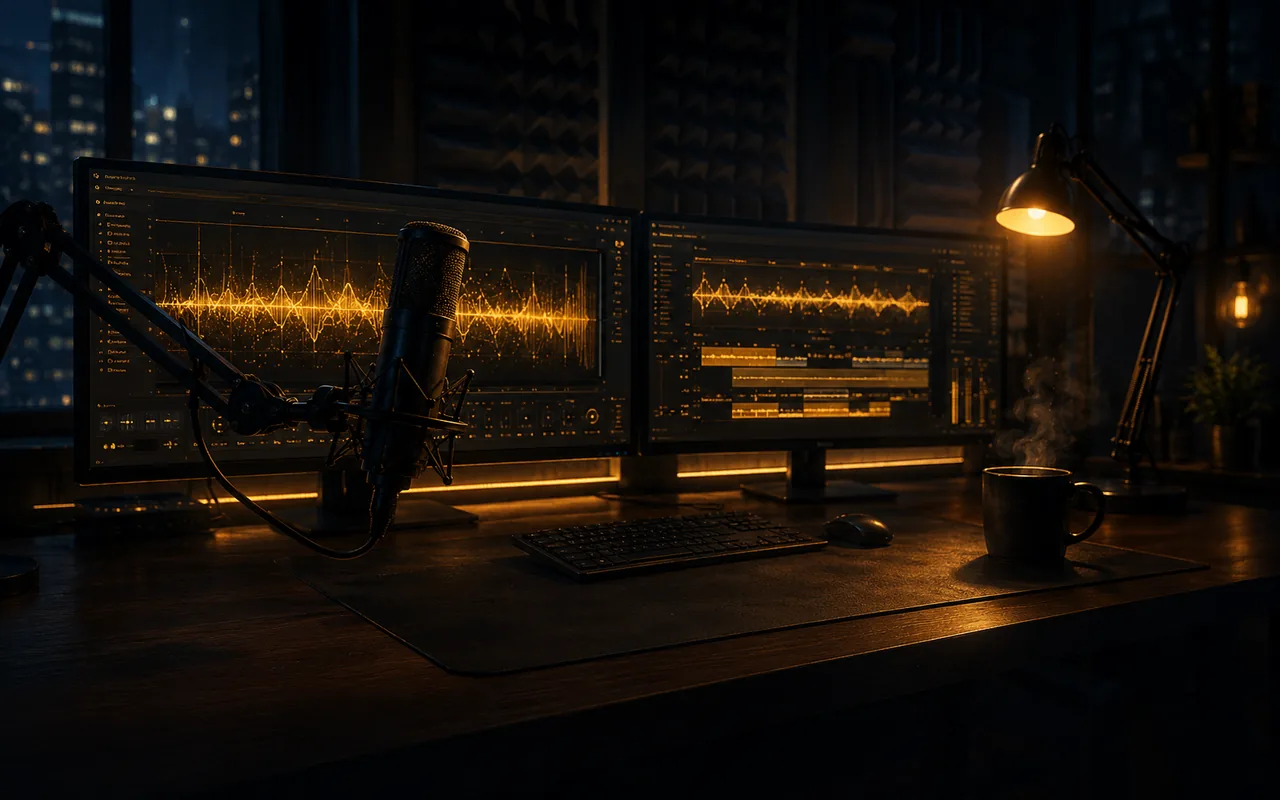
Narrazione, dialoghi, voiceover. Tutto locale. Tutto illimitato.
36+ stili vocali emotivi sulla tua GPU. Nessun cloud. Nessun credito. Nessun altro tocca il tuo audio. Clona voci, passa tra 10 lingue e produci quanto ti serve.
Locale sul tuo PC 36+ emozioni Clonazione vocale Niente crediti o limiti
Verificato da Windows Defender Privato per default Generazione illimitata
Uno sguardo dal vivo a Demodokos Foundry: parlato reale in più lingue, basi musicali ed effetti vocali da studio, tutto generato in locale su una sola macchina. Premi l’altoparlante per attivare l’audio.
Perché il locale vince
Ogni tool vocale cloud ha gli stessi tre problemi. Questo non ne ha nessuno.
I tuoi file non lasciano mai il PC
I tuoi script, i tuoi cloni vocali, il tuo audio. Tutto resta sul disco. Nulla viene caricato. Nessun altro conserva il tuo lavoro. Nessuno ci addestra modelli.
Veloce perché è locale
La tua GPU renderizza la voce. I clip brevi richiedono secondi. Non aspetti un server e non condividi una coda con nessuno.
Niente crediti. Niente conteggi.
Genera tutte le take che vuoi. Rifai una riga dieci volte. Prova ogni emozione. Non c'è un contatore attivo e non finisce nulla.
Per chi è
Il lavoro audio reale si ripaga nella prima settimana
Autori, creator e studi usano Foundry per sostituire bollette cloud a carattere, eliminare limiti di testo e pubblicare più in fretta di quanto uno studio tradizionale possa fissare una sessione.
Usato da autori indie, YouTuber e studi di giochi. 100% locale. Nessun limite d'uso.
Autori e self-publisher
Narra un intero romanzo in una sera invece di pagare $3.000+ di studio. Registra di nuovo qualunque riga in pochi secondi. Il manoscritto non lascia mai la macchina, quindi la bozza inedita resta privata.
YouTuber e content creator
Crea voiceover puliti, hook e shorts su larga scala. Genera dieci letture alternative, testa thumbnail con voci diverse e prepara una settimana di video in un pomeriggio. Senza costo per parola.
Studi di giochi e agenzie
Prototipa dialoghi NPC, take alternative e copy multilingue senza prenotare doppiatori. Itera tono ed emozione finché la battuta funziona, poi esporta in locale.
Nessun addebito durante la prova. Annulla quando vuoi. Gira sul tuo PC Windows con GPU NVIDIA.
Come funziona
Dalla pagina bianca all'audio finito in 5 semplici passaggi
Nessuna sala di registrazione da prenotare. Nessun costo per carattere. L'intera pipeline, voce e musica, gira sul tuo PC Windows in meno di un minuto per pagina.
Parti dai preset di voce inclusi, clona la tua o un campione di riferimento, oppure genera una voce completamente nuova. Le voci clonate restano sul tuo disco, non finiscono mai su un server.
2/ 5
Passaggio 2
Incolla il copione e assegna ogni personaggio
Trascina dentro un capitolo, un libro intero, la scaletta di un video o un file di dialoghi. Il nuovo editor di copione lo divide in battute appena incolli, così dai a ogni personaggio la sua voce e dirigi un intero cast, non solo un narratore.
3/ 5
Passaggio 3
Dirigi l'emozione battuta per battuta
Contrassegna qualsiasi paragrafo come calmo, entusiasta, sussurrato, arrabbiato, sarcastico o qualsiasi sfumatura intermedia, con 5 livelli di intensità per emozione. La voce resta lo stesso personaggio, cambia solo il sentimento.
4/ 5
Passaggio 4
Genera musica in qualsiasi stile, in 50 lingue
Colonne sonore originali, loop ambient, canzoni complete con voce, tappeti strumentali. Qualsiasi genere, qualsiasi atmosfera, cantata in una delle 50 lingue. Musica la tua narrazione o scrivi un brano a sé, poi trascinalo direttamente sulla timeline. Nessun secondo strumento, nessun abbonamento separato.
5/ 5
Passaggio 5
Modella ogni battuta con DSP ed effetti vocali
Applica effetti di livello professionale a una singola battuta o all'intera traccia. Trasforma un narratore in un alieno, un demone o una vecchia trasmissione radio con un clic, poi aggiungi riverbero, EQ, auto-tune, spostamento di formanti e glitch, il tutto non distruttivo. Un rack DSP completo, integrato, senza plugin e senza DAW esterna.
Annulla quando vuoi · Gira 100% in locale · App desktop Windows
Domande frequenti
Domande frequenti
Demodokos Foundry funziona offline?
Sì. Tutta la generazione IA, la clonazione vocale e l´elaborazione audio avvengono in locale sulla tua GPU. Prompt, script, campioni vocali e audio generato non vengono caricati su un servizio cloud. Serve comunque una connessione internet per il login e la verifica della licenza. Foundry può disconnetterti se non riesce a raggiungere il server di autenticazione per un periodo prolungato.
Demodokos Foundry carica i miei file audio nel cloud?
No. File audio, campioni vocali, prompt, script, dati di progetto e contenuti generati restano sul tuo computer. Foundry non carica contenuti creativi su un servizio IA cloud per la generazione o l´elaborazione.
Che GPU serve per Demodokos Foundry?
Una GPU NVIDIA con almeno 4 GB di VRAM può eseguire alcuni modelli Speech a qualità ridotta. 6 GB sono un punto di partenza più pratico, mentre 12 GB o più sono consigliati per le migliori prestazioni complessive di Music e Speech. Le GPU AMD con almeno 8 GB di VRAM possono eseguire Music e Speech tramite Vulkan, anche se il supporto AMD resta sperimentale. È consigliata una GPU NVIDIA con CUDA.
Ho una GPU AMD. Funzionerà?
Sì. Le GPU AMD con almeno 8 GB di VRAM possono eseguire Music e Speech tramite Vulkan. Il supporto AMD resta sperimentale e può essere meno uniforme rispetto a NVIDIA/CUDA, che offre l´esperienza Foundry più matura.
Demodokos Foundry funziona su macOS o Linux?
Foundry è attualmente disponibile per Windows 10 e Windows 11 a 64 bit. Al momento non sono disponibili versioni native per macOS o Linux.
Quanto costa Demodokos Foundry?
Il piano Creator costa $15.00/mese e il piano Professional $49.00/mese. È disponibile anche la fatturazione annuale scontata. Entrambi i piani includono generazione locale illimitata di musica e voce IA senza crediti per generazione; i limiti del piano si applicano alle dimensioni e alla durata dei progetti e alle funzioni avanzate. È inclusa una prova gratuita di 7 giorni.
C´è una prova gratuita?
Sì. Demodokos Foundry offre una prova gratuita di 7 giorni con tutte le funzionalità della licenza selezionata. La prova viene attivata tramite PayPal con un´autorizzazione da $0 e non ti viene addebitato nulla se non mantieni l´abbonamento dopo la scadenza. Puoi annullare in qualsiasi momento prima della fine della prova.
Posso annullare l´abbonamento in qualsiasi momento?
Sì, in qualsiasi momento, da Fatturazione > Annulla. L´annullamento blocca il rinnovo successivo ed entra in vigore alla fine del periodo di fatturazione corrente: il mese in corso per i piani mensili o l´anno in corso per quelli annuali. Mantieni l´accesso completo fino a quel momento. I pagamenti già effettuati non vengono rimborsati e non ci sono costi di cancellazione. Durante la prova gratuita puoi annullare in qualsiasi momento senza addebiti.
Posso clonare la mia voce con Demodokos Foundry?
Sì. Importa una breve registrazione della tua voce - o di un´altra voce che sei autorizzato a utilizzare - e Foundry crea il clone vocale in locale sul tuo computer. Le voci clonate possono usare più di 40 emozioni e stili di parlato, ciascuno con cinque livelli di intensità, senza costi per carattere o per generazione.
Quali lingue supporta Demodokos Foundry?
Demodokos Foundry supporta la generazione musicale e dei testi in 50 lingue e la generazione di parlato e voce in 10 lingue. L´agente Creative AI è ottimizzato per conversare in inglese. I modelli Creative AI più grandi, disponibili sui sistemi con più VRAM, comprendono altre lingue e offrono capacità multilingue migliori per la scrittura di testi, l´analisi del testo e la narrazione.
Demodokos Foundry utilizza modelli IA open source o proprietari?
Demodokos Foundry utilizza sistemi IA proprietari e modelli adattati sviluppati a partire da fondamenta open source. Demodokos modifica, estende e adatta ampiamente queste fondamenta prima di integrarle nella propria architettura proprietaria per musica, parlato e produzione audio.
Il motore Music v4 si basa su una versione modificata di ACE-Step 1.5, con stabilizzazione guidata dal flusso spettrale integrata direttamente nel processo di generazione. Speech v4 porta avanti Qwen3-TTS attraverso ulteriori adattamenti e ampie modifiche architetturali, mentre Creative AI utilizza modelli linguistici Qwen3 vincolati all´interno di una pipeline agentica personalizzata. Demodokos ha inoltre reingegnerizzato la tecnologia AudioSeal di Meta in Tonotope, un sistema leggero di marcatura dell´origine IA incorporato direttamente nell´audio generato e completamente inudibile.
Tutta l´inferenza IA viene eseguita in locale tramite uno stack di inferenza C++ personalizzato basato su GGML e ONNX.
Demodokos Foundry è soltanto un wrapper per modelli IA open source?
No. Un wrapper in genere aggiunge una nuova interfaccia a un modello esistente lasciando quasi invariati la tecnologia e il flusso di lavoro sottostanti. Foundry va molto oltre.
Demodokos modifica ed estende i modelli stessi, quindi costruisce intorno a essi sistemi proprietari per generazione, coerenza vocale, orchestrazione ed elaborazione audio. Music v4 e Speech v4 includono cambiamenti che incidono direttamente sulla stabilità musicale, sull´identità del parlante, sull´espressività e sulla coerenza dei contenuti lunghi.
La differenza è particolarmente evidente nel ricco Speech Editor. Unisce un´esperienza di scrittura familiare a strumenti creati specificamente per la produzione parlata: indicatori visivi di parlante e interpretazione, musica di sottofondo e inserti sonori, dialoghi sovrapposti, crosstalk naturale, temporizzazione accurata al campione ed effetti DSP regolabili visivamente. Ogni frase può essere ascoltata, modificata o rigenerata nel contesto, con controllo individuale su ritmo, altezza, volume e interpretazione.
Le pipeline agentiche di Foundry possono elaborare interi libri, dividerli in capitoli, riassumerne e analizzarne il contenuto, esaminare immagini e testo OCR, identificare i parlanti, creare voci da descrizioni dei personaggi generate dall´IA e preparare la narrazione. Una pipeline di narrazione separata può adattare il testo, scegliere il parlante corretto e selezionare le emozioni adatte riga per riga.
I progetti possono poi passare alla generazione musicale, alla separazione degli stem, alla riparazione di sezioni, all´arrangiamento sulla timeline, al missaggio e all´esportazione finale. Foundry non è un front end per modelli di terze parti, ma un ambiente locale integrato di produzione audio che porta un testo lungo dal documento al suono finito.
In cosa Demodokos Foundry è diverso da ElevenLabs?
ElevenLabs è una piattaforma cloud basata su crediti di utilizzo mensili. Demodokos Foundry è un ambiente locale di produzione audio per Windows: la generazione viene eseguita sulla tua GPU, script, voci e audio restano sul tuo computer e l´output non viene misurato per carattere o tramite crediti per generazione.
Foundry è inoltre progettato per produzioni complete, non per generazioni isolate. Il ricco Speech Editor consente di scrivere in una familiare interfaccia a documento, assegnare parlanti, dirigere emozione e interpretazione riga per riga, inserire musica e suoni, creare dialoghi sovrapposti e crosstalk, rigenerare qualsiasi frase nel contesto e regolare ritmo, altezza, volume, temporizzazione e DSP senza uscire dal documento. I flussi agentici possono preparare interi libri segmentando i capitoli, analizzando testo e immagini, identificando i parlanti, progettando le voci e dirigendo la narrazione.
Generazione musicale, separazione degli stem, riparazione di sezioni, missaggio sulla timeline e automazione sono integrati nella stessa applicazione desktop. La differenza principale è uno studio locale, privato e integrato invece di un servizio cloud il cui utilizzo viene misurato in crediti.
Demodokos Foundry è sicuro per le aziende e conforme al GDPR?
Sì. Demodokos Foundry è progettato per supportare flussi di lavoro conformi al GDPR. Tutta la generazione IA, la clonazione vocale e l´elaborazione audio vengono eseguite sul tuo hardware, quindi contenuti aziendali, audio dei clienti, registrazioni vocali proprietarie, script interni e narrazioni riservate restano nel tuo ambiente invece di essere inviati a un fornitore di IA cloud. Nessun fornitore di IA cloud riceve o conserva i tuoi contenuti creativi. Questo offre alla tua organizzazione controllo diretto e sovranità dei dati sul processo di generazione, rendendo Foundry particolarmente adatto ad aziende, team legali, sanità, agenzie media e altri lavori sensibili.
Demodokos Foundry è conforme all´AI Act dell´UE?
Sì. Demodokos Foundry è progettato per soddisfare i requisiti di trasparenza applicabili dell´AI Act dell´UE. L´audio generato viene identificato come prodotto dall´IA nei metadati e incorpora Tonotope, il watermark robusto e inudibile di Demodokos che ne indica l´origine IA.
1Account
2Profile
3Plan
4Review
Choose Your Plan
Select your preferred billing cycle
Best Value
Annual
$12.00/mo
Billed as $144.00/year
Save $36.00/yr vs monthly
Monthly
$15.00/mo
Billed monthly
Cancel anytime
Prices exclude VAT. EU customers will see applicable VAT at checkout.
Sign In or Create Account
You need to log in or create a account first
Billing Information
Required for invoicing. Payment is handled securely via PayPal.
Review Your Order
Confirm the details before payment
Selected PlanPlan details update automatically
$0.00
Coupon discount-$0.00
VAT (20%)$0.00
Total$0.00
7-day free trial$0.00 today
Cancel anytime before your trial ends. You will not be charged.
After your free trial
Monthly priceCalculated at checkout
Coupon discount-$0.00
VAT (20%)$1.50
You'll pay$8.99/mo
Billing to:John Doe123 Main St, 12345 City, US
Coupon applied
Processing Payment
Please wait while we redirect you to PayPal...
Preparing your order...
Payment Successful!
Your license has been activated.
Your license will be available within moments. Check your email for the confirmation.