You type a sentence. Thirty seconds later, a full song plays back. Vocals, drums, melody, arrangement. All from a text prompt.
That's the reality of AI music generation in 2026. The technology has gone from a novelty to a genuine creative tool, and the search volume proves it: over 90,000 people per month are searching for "AI music generator," with growth rates north of 8,000% over the past five years. The question is no longer should you use one. It's which one.
But here's what most comparison articles won't tell you: almost every AI music generator on the market works the same way. You type a prompt, their cloud server processes it, and you get audio back. Your prompt, your ideas, your creative direction all pass through someone else's infrastructure. And you pay per song, per credit, per month, with hard limits on what you can generate.
There's another approach. One that runs entirely on your own computer. No cloud. No credits. No upload. This article compares both worlds honestly, so you can pick the tool that actually fits how you work.
What We're Comparing (and Why It Matters)
Every AI music generator in 2026 falls into one of two categories:
Cloud-based generators run on remote servers. You access them through a browser, type your prompt, wait for processing, and download the result. They're easy to start with, but they come with credit limits, subscription tiers, and the reality that your audio lives on someone else's server.
Local generators run on your own GPU. The software sits on your machine. Generation happens on your hardware. Nothing gets uploaded. There are no per-song limits because the processing power is yours.
This distinction matters more than most features on a spec sheet. It affects your cost per song, your privacy, your speed, and whether you actually own what you create. Let's walk through the major players in both categories.
The Cloud Contenders
Suno
Suno is the name most people think of first. It has roughly 2 million paid subscribers, a $2.45 billion valuation, and generates around $300 million in annual revenue. It earned that position by being genuinely good at what it does: you type a description, and Suno produces a complete song with vocals, lyrics, and instrumentation in about 30 to 60 seconds.
The latest model (v5.5) handles genre diversity impressively. Pop, country, lo-fi, hip-hop, jazz, cinematic. Most of it sounds polished enough to use immediately. The Premier tier includes Suno Studio, which functions as a browser-based DAW with stem extraction, MIDI export, and multi-track editing.
Pricing:
- Free: 50 credits/day (~10 songs). Non-commercial use only.
- Pro: $10/month. 2,500 credits (~500 songs). Commercial rights.
- Premier: $30/month. 10,000 credits (~2,000 songs). Suno Studio access.
- Credits do not roll over month to month.
What to know: Suno settled a lawsuit with Warner Music Group in late 2025 and is still in active litigation with Sony Music. A ruling on the Sony case is expected in summer 2026. For casual use, this probably doesn't affect you. For commercial sync, label deals, or large-scale distribution, the unresolved litigation is worth paying attention to.
Limitations: No voice cloning. No offline mode. Credits expire monthly. Generation quality varies, and you'll often burn multiple credits iterating before landing on a keeper. Realistic usage is often 10 to 20 credits per finished song, not the theoretical 5.
Udio
Udio is Suno's closest competitor for text-to-song generation. It produces similarly complete tracks with vocals and instrumentation, and many users feel Udio's vocal rendering has a slightly more natural quality in certain genres.
Where Udio separates itself is the licensing story. Udio has signed deals with Universal Music Group, Warner Music Group, Merlin, and Kobalt. A jointly licensed UMG x Udio subscription service is scheduled for later in 2026, built on models trained exclusively on authorized catalogs. For creators concerned about where the training data came from, Udio currently has the cleanest legal position of any major cloud tool.
Pricing:
- Free: ~10 credits/day + monthly bonus. Non-commercial.
- Standard: $10/month. 2,400 credits. Private songs, high-quality downloads.
- Pro: $30/month. 6,000 credits. Commercial rights included.
- Credits available for a la carte purchase.
What to know: Udio generates two versions per prompt (so you can compare), which is great for quality but burns credits faster than you might expect. Each 32-second clip costs 1 credit, and extending a song costs additional credits. A realistic finished song might consume 8 to 20 credits.
Limitations: Cloud-only. Credit system with no rollover. Fewer professional controls compared to a traditional DAW. No voice cloning or TTS capabilities.
AIVA
AIVA occupies a completely different niche. It's built for instrumental composition — specifically cinematic scores, classical arrangements, ambient textures, and game soundtracks. It was the first AI to be officially recognized as a composer by France's SACEM performing rights organization.
Where AIVA stands out is its MIDI editor. After generation, you can adjust individual notes, dynamics, and orchestration. For composers who want AI to generate a starting point and then refine it manually, this workflow is more useful than what Suno or Udio offer.
Pricing:
- Free: Limited generations. Non-commercial, requires AIVA credit.
- Standard: ~$15/month. Monetization on YouTube, Twitch, TikTok, Instagram.
- Pro: ~$49/month. Full copyright ownership. Unrestricted commercial use.
What to know: AIVA offers 250+ style presets and supports MIDI import/export, which means it integrates well with traditional DAW workflows.
Limitations: No vocals. No lyrics. No voice generation of any kind. If you need a full song with singing, AIVA can't do it alone. You'd need to pair it with a separate voice tool, which adds cost and complexity.
Boomy
Boomy's pitch isn't audio quality. It's simplicity and distribution. You can generate a basic track in a few clicks and push it directly to Spotify, Apple Music, TikTok, and 40+ other streaming platforms. Over 14.5 million songs have been created on the platform.
Pricing:
- Free: 25 song saves. 1 release (max 3 songs).
- Creator: $9.99/month. 500 saves, 10 MP3 downloads. Social media use.
- Pro: $29.99/month. Unlimited saves. Commercial use including ads.
What to know: Boomy takes a royalty cut from streaming revenue, and its output quality is noticeably below Suno and Udio. Tracks tend to sound formulaic, especially in genres that demand nuance. In 2023, Spotify temporarily pulled thousands of Boomy tracks due to artificial streaming concerns (later clarified as a third-party issue, not Boomy's fault directly).
Limitations: Very limited customization. No voice cloning. No professional editing tools. Lower audio quality. Cloud-only. The distribution pipeline is convenient, but the 20% royalty cut and output quality make it a trade-off.
The Real Cost of "Credits"
Here's something that doesn't show up in the pricing tables: the gap between theoretical songs and actual finished songs.
Suno's Pro plan advertises 2,500 credits, which sounds like 500 songs. But generation is unpredictable. You might love the first take or you might need five attempts before you get something usable. Each retry costs credits. Extending a song costs credits. Once you're actually working on a project, 2,500 credits can evaporate in a week if you're producing at any real volume.
The same applies to Udio, where each prompt generates two 32-second clips at 2 credits, and extending to a full song requires multiple additional generations.
For hobbyists making a few songs per month, the credit system works fine. For anyone producing at scale — content creators running a daily upload schedule, game developers needing dozens of tracks, podcast producers scoring weekly episodes — the math gets uncomfortable fast.
Let's lay it out. If you're using Suno Pro at $10/month for music, ElevenLabs at $22/month for voice work, and a separate sound effects library at $9/month, you're spending $41/month across three platforms. Each with separate logins, separate credit pools, and separate limitations. And everything you create passes through cloud servers.
The Local Alternative: Demodokos Foundry
This is where the comparison takes a different turn.
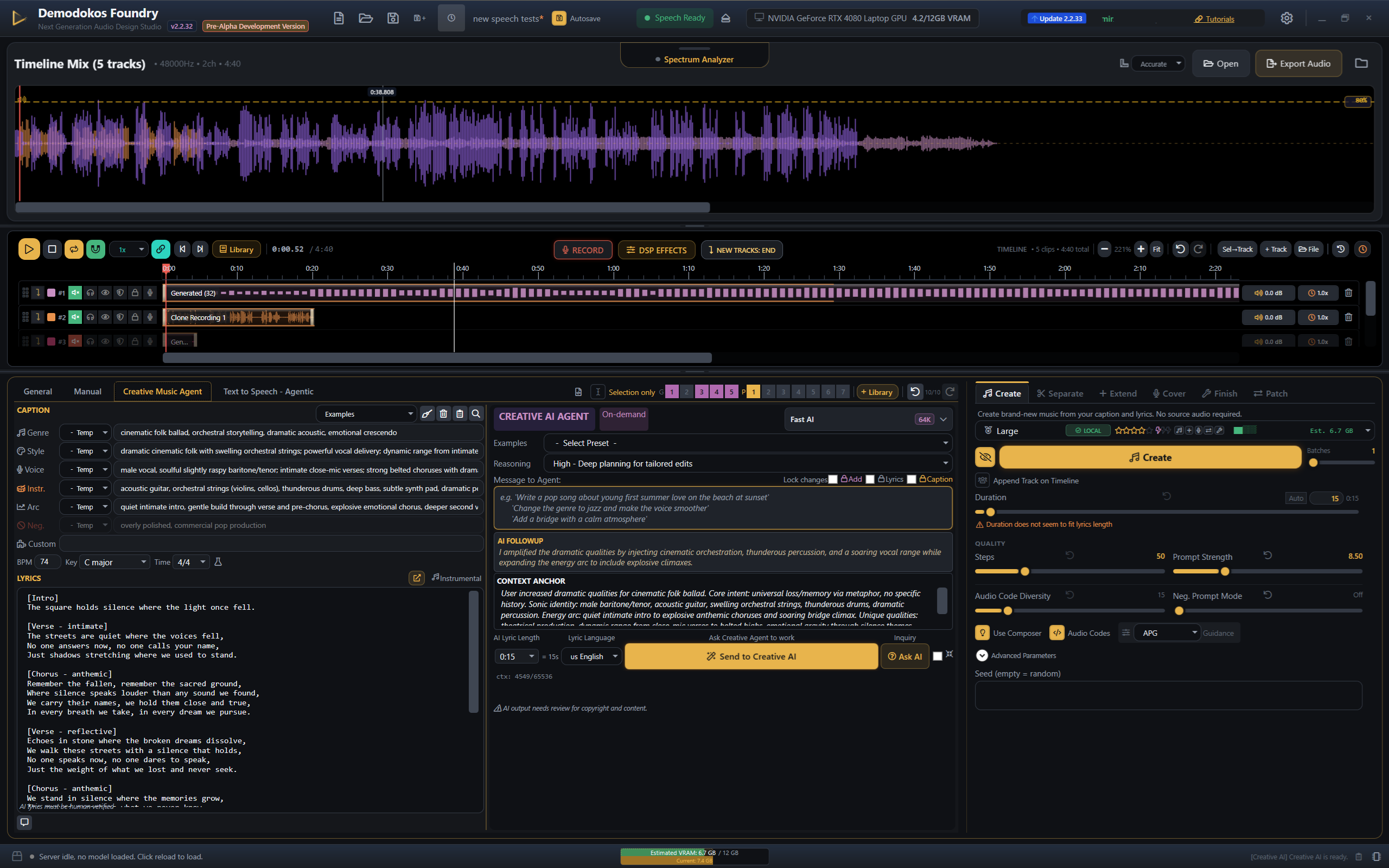
Demodokos Foundry is a downloadable desktop application. It runs on your GPU. It doesn't connect to any cloud server for generation. And it's not just a music tool. It's a complete AI audio production suite.
What it does:
- AI Music Generation across any genre, full songs, unlimited
- AI Voice Generation with 38 styles for emotion, drama, narration, and character states
- Voice Cloning from a short audio sample
- Audiobook and Podcast Production with multi-speaker dialogue
- TTS Narration for game characters, YouTube voiceover, true crime, anything
- Hundreds of DSP effects and audio modifications, including telephone filtering, reverb, spatial audio, pitch shift, and more
- Timeline Editor for multi-track editing (trim, fade, speed, merge, mix)
- Repaint: fix or change only a selected segment of a song without regenerating the whole thing
- Stem Separation to isolate vocals, drums, bass, or melody from any track
- Cover and Restyle existing audio into new versions
- Built-in AI Writing Partner for lyrics and scripts
- CLI and API for batch production and automation
Pricing:
- 7-day free trial ($0, via PayPal)
- Creator: $12.00/month when billed annually
- Pro: $39.20/month
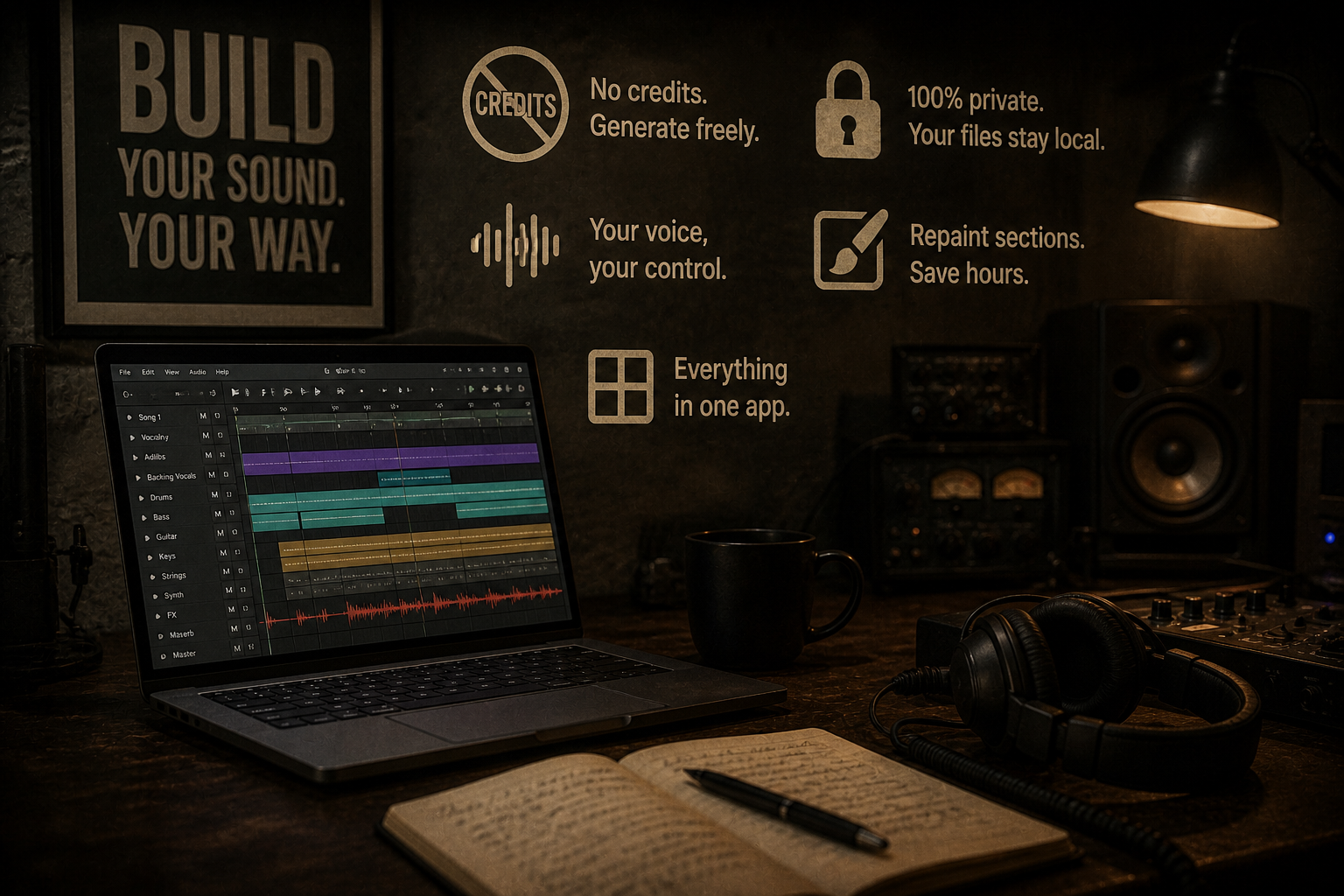
- No credits. No per-song limits. Generate as much as you want.
Generation speed: Up to 15x realtime on a strong GPU. That means a 3-minute song can generate in about 12 seconds. No waiting in a cloud queue. No "your generation is #847 in line."
Why "Local" Changes Everything
No credits, ever. There is no meter tracking how many songs you've made this month. If you want to generate 50 variations of a chorus at 3 AM to find the one that works, nothing stops you. No credit anxiety. No mental math about whether this prompt is "worth" spending a credit on.
Your files never leave your machine. This matters more than most people realize. When you use a cloud music generator, your prompts, your lyrics, your creative direction, and the resulting audio all pass through external servers. With Foundry, the AI model sits on your GPU. Generation happens locally. The audio file exists on your hard drive and nowhere else.
Your voice stays yours. For anyone doing voice cloning, privacy is the whole conversation. Cloud voice cloning means your voice print lives on someone's server, governed by their terms of service. With local cloning, the model exists on your machine. Nobody else has access to it.
Repaint is a workflow saver. Every cloud tool works the same way: if one part of a song is wrong, you regenerate the entire song and hope the rest still sounds good. Foundry's Repaint feature lets you select just the problem section — a weak bridge, a muddy transition, a vocal that didn't land — and regenerate only that part while keeping everything else. This alone saves hours of iteration.
Everything in one app. Most creators using cloud tools are juggling three or four subscriptions: Suno for music, ElevenLabs for voices, a sound effects library, maybe a separate audio editor. Foundry puts music generation, voice generation, voice cloning, DSP effects, and a full timeline editor in a single application. One install. One subscription. One workflow.
Head-to-Head: How They Stack Up
| Feature | Cloud Generators | Demodokos Foundry |
|---|---|---|
| Music Generation | Yes - all major tools | Yes (vocals + instruments) |
| Voice Generation / TTS | None | Yes, 38 delivery styles |
| Voice Cloning | None | Yes, from a short sample |
| Runs Locally | Cloud only — uploads required | Yes, fully offline on your GPU |
| Credits / Limits | Metered — pay per song or credit | Unlimited — no per-song limits |
| Professional DSP Effects | None or very basic | Hundreds of effects and audio modifications |
| Timeline / Multi-track Editor | Paid top tier only ($30/mo) | Included at all tiers |
| Patching (partial regeneration) | None — full regeneration only | Yes - fix just the problem section |
| Stem Separation | Paid top tier only ($30/mo) | Included at all tiers |
| CLI / API for Automation | Limited or separate pricing | 120+ commands, included |
| Audiobook / Podcast Tools | None | Yes, multi-speaker scenes |
| Offline Generation | None — requires internet | Yes, fully offline |
| Starting Price | $10/mo (Suno/Udio) | $12.00/month when billed annually |
| Commercial Rights | Paid tiers only — varies by tool | All paid tiers |
Who Should Use What
Choose Suno if you want the easiest possible path from idea to finished song, you produce casually (a few songs per month), and you don't need voice generation. Suno's output quality across genres is genuinely impressive, and the free tier is generous enough to explore. The credit system only pinches when you're producing at volume.
Choose Udio if licensing clarity is your top priority. The UMG, WMG, and Kobalt deals give Udio the cleanest legal story in cloud AI music right now. If you're producing music for commercial sync or distribution and want the lowest legal exposure, Udio's licensed model approach matters.
Choose AIVA if you specifically need cinematic, classical, or game score compositions with MIDI output. The ability to edit individual notes after generation is valuable for composers who want a starting point, not a finished product. Just know it's instrumental only.
Choose Boomy if your primary goal is getting AI-generated tracks onto streaming platforms with minimum friction. The quality bar is lower, but the distribution pipeline is unmatched for simplicity.
Choose Demodokos Foundry if any of the following are true:
- You produce at volume and credit limits slow you down
- You need music AND voice AND effects in one tool
- Privacy matters to you (unpublished manuscripts, your voice, client work)
- You want to clone a voice without uploading it to a server
- You're building something that requires batch production (games, audiobooks, content libraries)
- You already run local AI tools like Stable Diffusion or Ollama and want your audio stack local too
- You're tired of paying for three separate subscriptions that each do one thing
The Bottom Line
Cloud AI music generators got mainstream attention first, and deservedly so. Suno and Udio made it possible for anyone with a keyboard to produce a song. That's remarkable.
But the category is splitting. On one side: cloud tools with credit systems, server queues, and licensing uncertainties. On the other: local tools where you own the hardware, the generation, and the output.
For $12.00/month on Creator when billed annually, Demodokos Foundry gives you unlimited music generation, voice generation, voice cloning, hundreds of DSP effects and audio modifications, a full timeline editor, and a CLI for automation. All running on your machine. Nothing uploaded. Nothing metered.
The 7-day free trial is $0 through PayPal. No credit card commitment. Install it, run it, and hear what local AI audio sounds like.
Try Demodokos Foundry free for 7 days
Unlimited music generation, voice generation, voice cloning, hundreds of DSP effects and audio modifications, full timeline editor, and CLI for automation. All local. Nothing metered.
Start 7-Day FREE TrialCancel anytime — no charge during the trial.